How to create high resolution image files: Example with Photoshop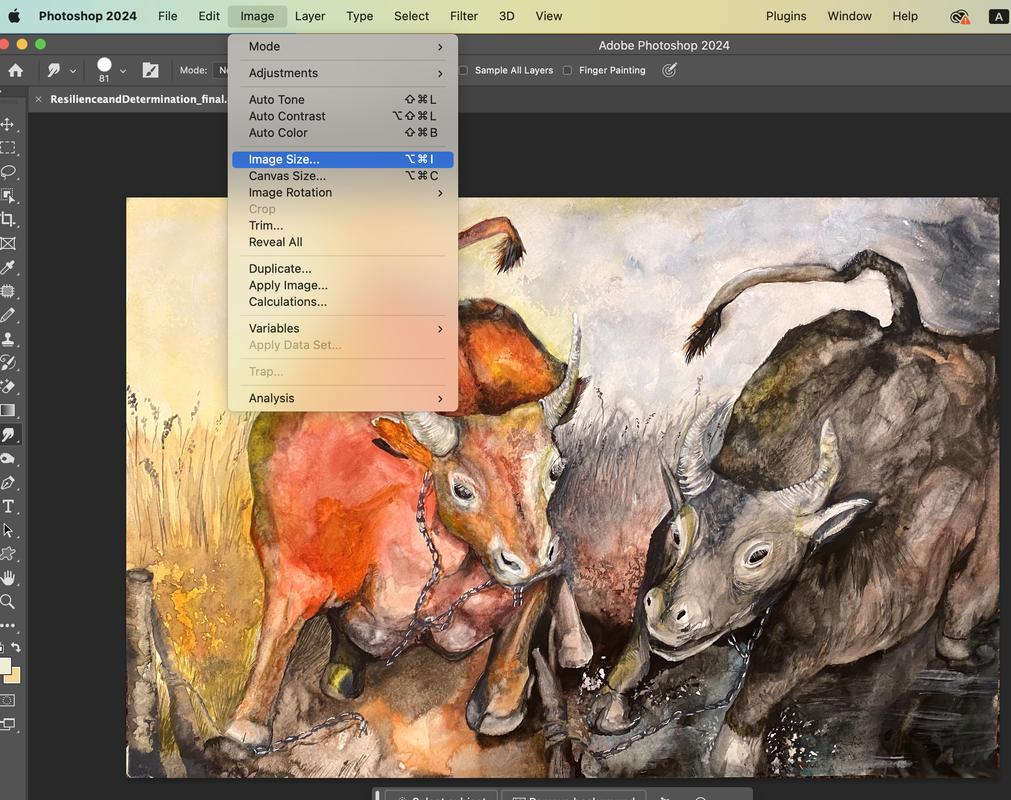 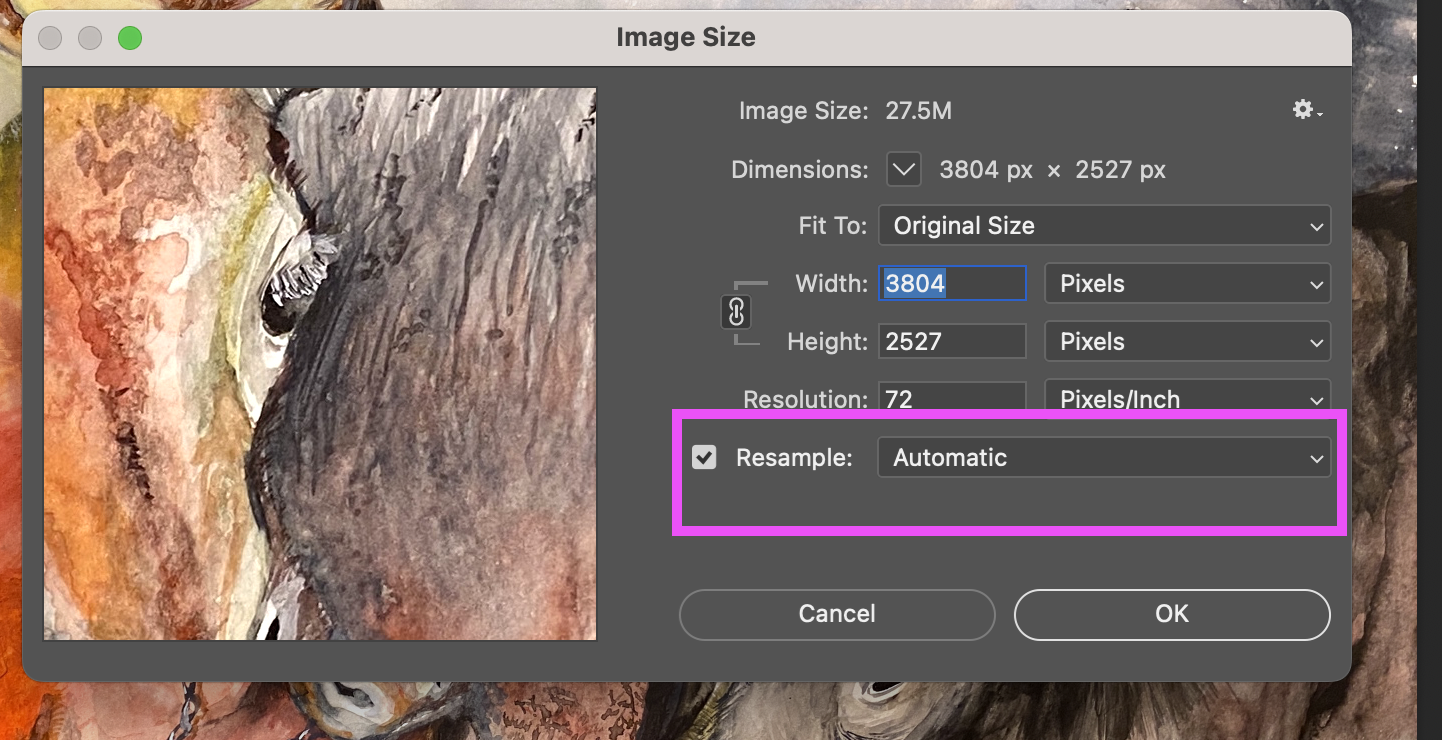 you'll want to know the right way to increase the dpi of a photoshop image. Click File > Open > Choose your file. Next, click Image > Image Size, set the resolution to 300 if it is less than 300. Click resample, and choose Preserve Details (enlargement) on the drop-down menu. 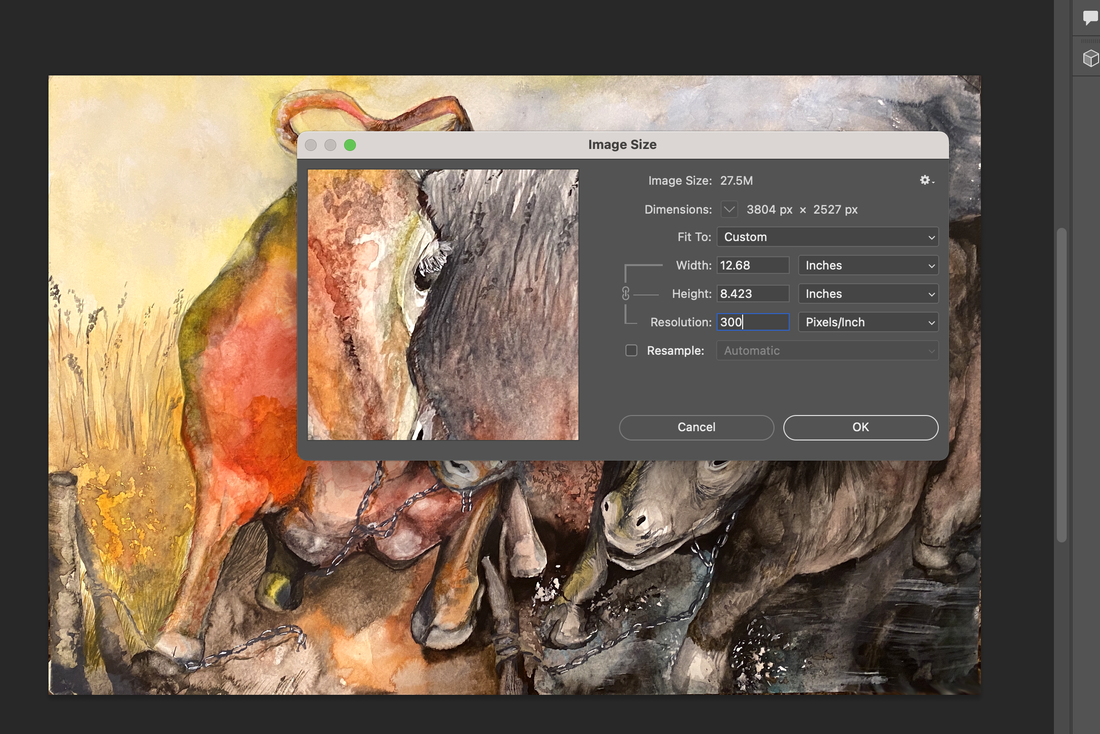 Creating a high-resolution image file with 300 dots per inch (dpi) involves a few key steps. Here's a simple guide to help you achieve this:
0 Comments
Leave a Reply. |
Myungja Anna KohArtist Categories
All
Archives
July 2024
|

|
Tutorial |
 RSS Feed